
Order Overview
The order overview provides a structured display of all orders in your system and functions similarly to the calculation overview.
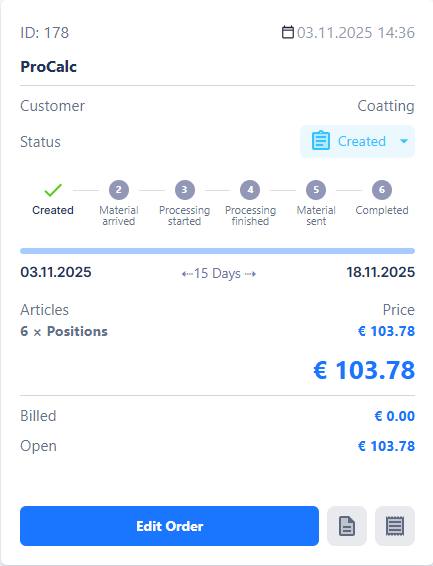
Each order is presented as a card, offering a quick summary of the most important information.
You can access the order overview by clicking “Orders” in your navigation bar.

On the cards, you will find:
-
Order Status: Indicates the current progress of the order
-
Timeline: Shows the planned completion target
-
Total Order Value: The sum of all positions within the order
-
Invoiced Amount: Positions that have already been billed
-
Open Amount: Positions that have not yet been invoiced
Additionally, you can access further information directly from the overview:
- Show Related Offers: Lists all offers associated with this order

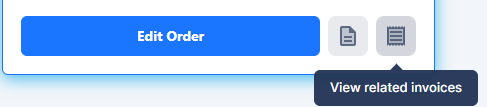
- Show Related Invoices: Displays all invoices, credit notes, and cancellation invoices associated with this order


The order overview thus provides quick orientation and simplifies the management of orders, especially for larger projects with many positions or multiple associated documents.