
Document Definition for Invoices & Credit Notes
In the document definition, you determine how all documents generated by Surface Solutions appear and which standard information they contain. This applies to invoices, cancellation invoices, credit notes, purchase orders, and emails. Through the document definition, you can define the content, layout, logo, and background for PDFs.
Invoice
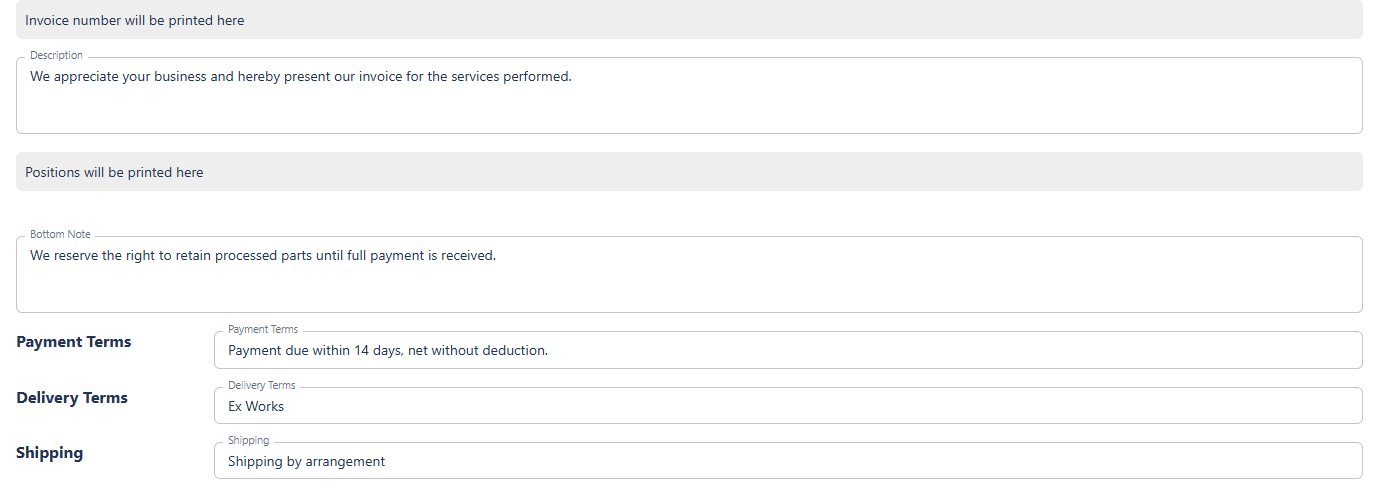
Under the “Invoice” tab, you can edit all information relevant to invoices. The settings you make here also apply to cancellation invoices and credit notes. These include:
-
Logo and Background: You can define a separate logo and background for each type of document.
-
Standard Information: This includes the organization’s contact details, standard texts, notes, payment terms, footer, SEPA information, and QR code. These default values are automatically applied to all created invoices, but can be overridden for individual invoices if necessary.
-
Positions: Standard positions can be automatically added from the document definition. They can be edited or deleted in the invoice editor if needed.
Tax Rates
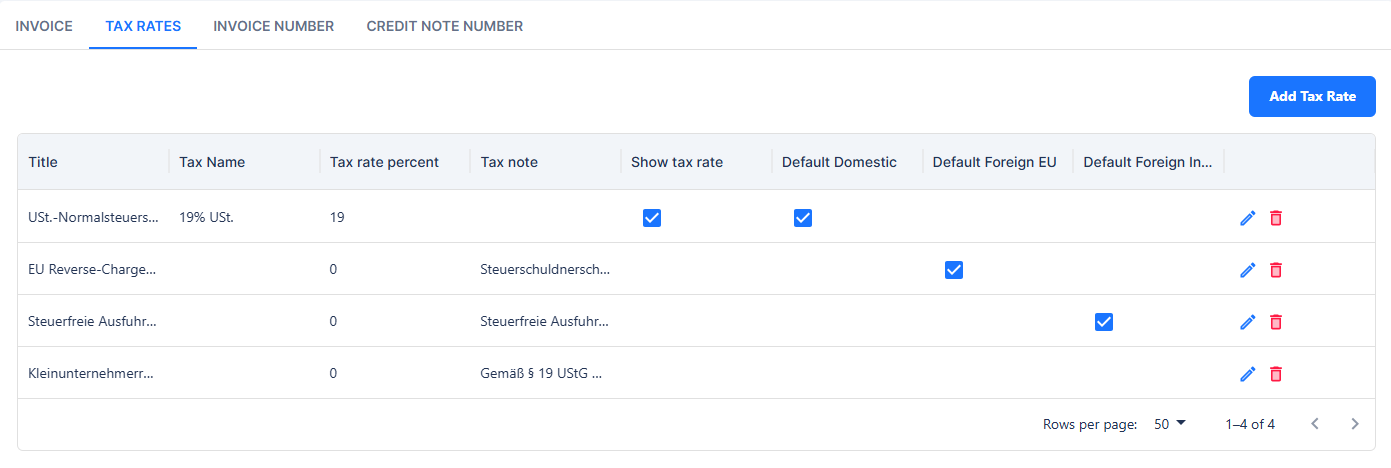
In this section, you define which VAT rates are suggested in the system. Each tax rate includes the following fields:
-
Internal Title: An internal name that is not displayed on the invoice but serves internal classification purposes.
-
Displayed Tax Rate: The name shown on the invoice in the line items (e.g., “19% VAT”).
-
Tax Rate Percentage: The percentage applied when calculating the tax.
-
VAT Note: An optional note, e.g., for cases where VAT is not shown, such as reverse charge procedures.
-
Show Tax Rate on Invoice: A checkbox determining whether the tax rate is displayed on the invoice. For standard domestic VAT, this is typically enabled; for special cases such as reverse charge, it should be disabled.
Additionally, you can define which tax rate should be used by default for domestic customers, EU customers, and non-EU (third-country) customers.
Invoice Number
Here you define the invoice numbering series. You can customize the invoice number format and use placeholders. The page displays a preview of the next number to be assigned. For mid-year changes, you can set the last issued sequence number so that numbering remains continuous.

Use placeholders to customize your number range.
{seq:######}for the sequence number. The number of#defines the number of leading zeros. Use{seq:#}to use no leading zeros.{yyyy}for the four-digit year.{yy}for the two-digit year.{M}for the month, single digit (e.g., 9, 10).{MM}for the month, two digits (e.g., 09, 10).{MMM}for the month, abbreviated (e.g., Oct).{MMMM}for the month, full name (e.g., October).{Q}for the quarter (e.g., 1).Format examples:
R-{yyyy}/Q{Q}-{seq:########}→R-2026/Q4-00001234INV{yy}/{MM}/{seq:#}→INV26/12/1234{yyyy}-{seq:######}→2026-001234
Credit Note Number
Similar to the invoice number, you can define the credit note numbering series here. Credit notes use their own numbering sequence that runs independently from invoices. The format and placeholders work the same way as for invoices.