
Document Definition for Purchase Orders
The Document Definition for Purchase Orders specifies how purchase orders generated from Surface Solutions are structured in terms of content and appearance. As with other document types (e.g., offers or invoices), all standard information can be maintained centrally, ensuring that each purchase order is consistent and automatically includes the correct sender and address details.
Purchase Order
Under the Purchase Order section, the basic details that apply to all of the organization’s purchase orders are defined:
-
Logo and PDF background:
A separate logo and PDF background can be set for purchase orders. This allows purchase orders to differ visually from offers or invoices — for example, when different colors or branding are desired. -
Sender address, billing address, and delivery address:
A key feature of the purchase order definition is the separate management of these three address types.
This enables you to, for example, use a central billing address but specify a project-specific delivery address. These addresses are inserted automatically when creating a purchase order, but can be adjusted in the order form. -
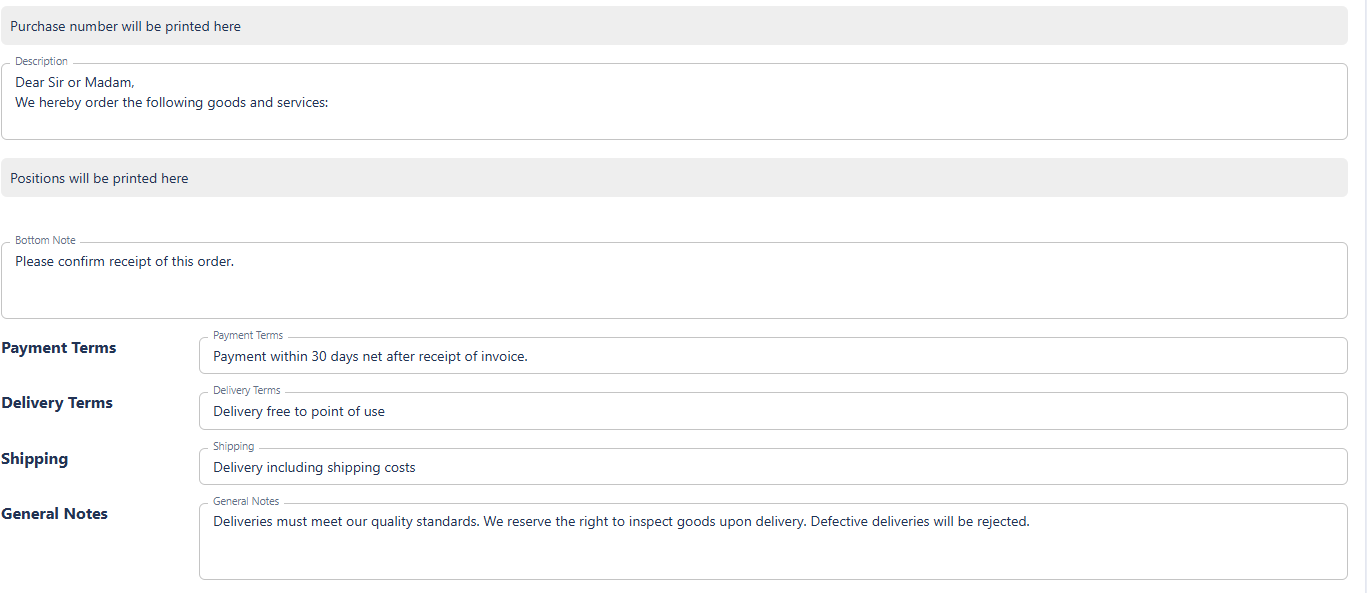
Delivery terms, notes, and footer:
As with other documents, standard texts such as delivery terms, payment conditions, shipping information, or general notes can be stored here. These are automatically included on every purchase order to ensure a consistent external appearance.
Purchase Order Number
Similar to other document types, purchase orders have their own number sequence, which is defined in the Purchase Order Number section.
Here you can:
-
define the format of the purchase order number using placeholders,
-
view a preview of the next number, and
-
seamlessly continue existing numbering sequences if migrating from another system.
The numbering is assigned automatically when the purchase order is finalized, ensuring a unique identifier for every order.