
Canceling Invoices
Invoices can be canceled directly from the invoice overview or in the invoice editor.
To cancel an invoice, select “canceled” in the Status field. A confirmation dialog will then appear, where you must confirm the action. The cancellation is only executed after this confirmation.
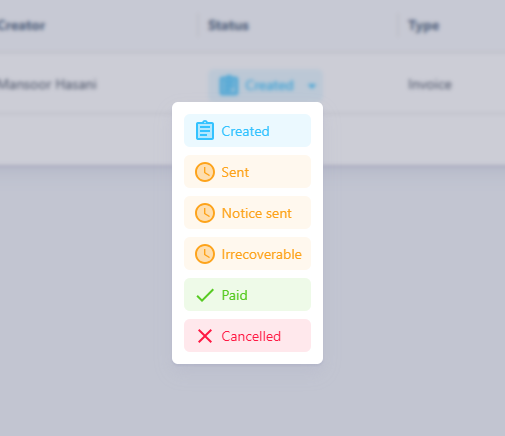
Cancellation Process
After confirmation, the selected invoice is marked as canceled. No further changes are made to the original invoice; it remains fully stored in the system. However, a new document is automatically created—the so-called cancellation invoice.
This cancellation invoice is assigned a consecutive invoice number within the same numbering sequence as regular invoices. It contains all items from the original invoice, but with negative amounts so that the total cancels out the previously billed amount. The generated PDF also automatically includes the note: "Cancellation Invoice for Invoice: [Original Invoice Number]".

Properties of the Cancellation Invoice
- The cancellation invoice is an independent document with the type “Cancellation Invoice”.
- It is displayed in the invoice overview as a new, current invoice.
- Content-wise, it corresponds to the original invoice but with negative totals.
- Email sending and export function the same way as with any other invoice.
- A canceled invoice cannot be reactivated or modified.
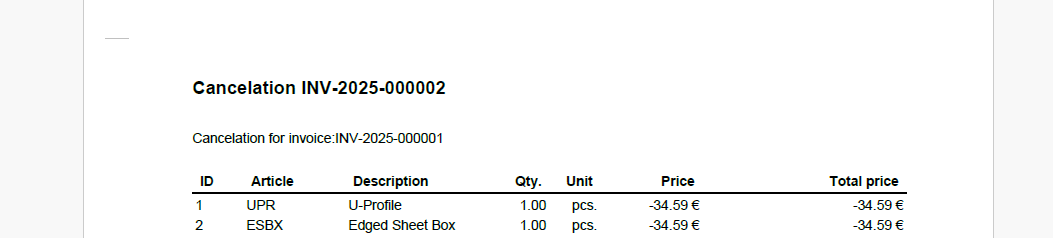
While cancellation invoices are issued within the same numbering sequence as regular invoices, credit notes have their own separate numbering sequence. This ensures that both types of documents remain clearly traceable.