
Manage Customers
In Surface Solutions, you can centrally manage, edit, and create new customers.
You can access the customer page via Tools and Settings → Customers. There, you will find an overview of all existing customers in your organization.
Customer Overview
The customer overview displays all registered customers in a tabular format. Using the search function, you can quickly find customers and open them with a click to view or edit their data.
With the “Add Customer” button, you can create new customers and enter their master data.
Create a Customer
A new customer can be created either directly through customer management or within a calculation.
If you enter a new name in the Company field during a calculation that does not yet exist in the system, the button “Create New Customer” will automatically appear.
After clicking it, a new customer with the specified name will be created, and you can add additional information directly within the calculation.
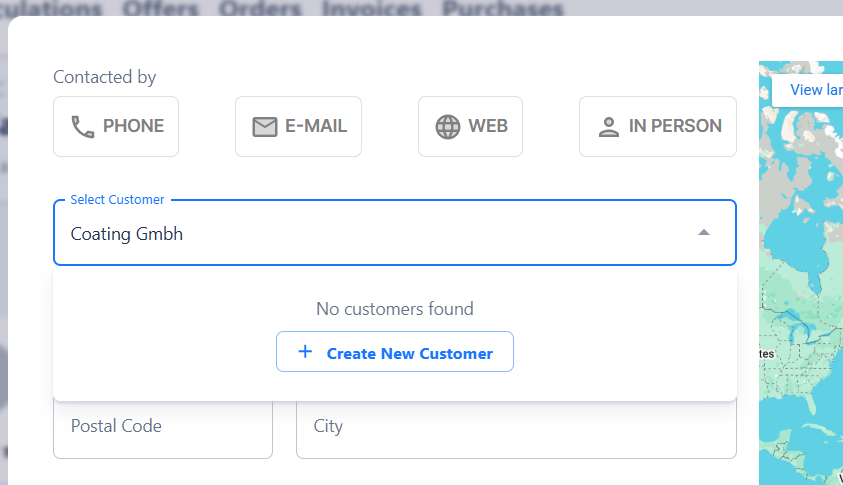
By clicking “+ Create New Customer,” you can create a new customer directly within the calculation.
Customer Data
For each customer, you can record and manage the key master data, including:
-
Company name
-
Address
-
VAT number
-
Contact person
-
Email address
-
Phone number
-
Notes
-
Preferred contact method (e.g., email, phone, web, in-person)
Edit and Delete
Customers can be edited at any time to update or add information.
Customers that are no longer needed can be deleted.