
Order Editor
The Order Editor is the central page for managing an individual order. It opens when you click on an order in the order overview. On this page, all relevant information about the order is displayed and can be edited.
At the top of the editor, you can see the customer, the total net order value, the positions already invoiced, and the open amount — which represents the difference between the total order value and the amounts already billed. You can also navigate directly to the associated offer or add attachments to the order — either for individual positions or for the entire order. Material requirements and notes can likewise be managed directly within the order.

The main section contains the order positions. These positions are imported from the offer by default, but can be supplemented if additional costs arise or extra discounts are to be granted. Each position can be edited or deleted as long as it has not yet been marked as invoiced. Once a position has been invoiced, its status changes from “not invoiced” to “invoiced,” and it can no longer be edited.

For each position, the following information is displayed: quantity, name, unit price, discount, total price, item number, description, and attachments. Positions can be duplicated to quickly create similar items.
At the top right, the outstanding amount is displayed. From an order, both invoices and credit notes can be created:
-
Invoices can be created when the outstanding amount is positive.
-
Credit notes can be created when the outstanding amount is negative.
A negative outstanding amount can occur if individual positions are edited to have a negative price or if a new position—such as a “discount” item with a negative amount—is added. These adjustments cause the total amount to become negative, making it possible to create a credit note.
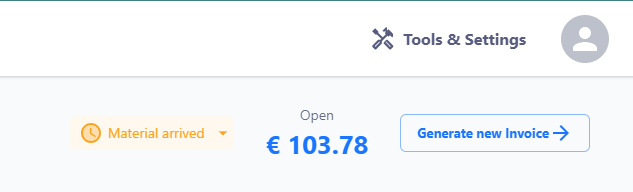
Additionally, the order editor displays the status of the order to monitor progress. Various stages are shown here, including: “created,” “material received,” “processing started,” “processing complete,” “material shipped,” and “completed.”