
Item Database
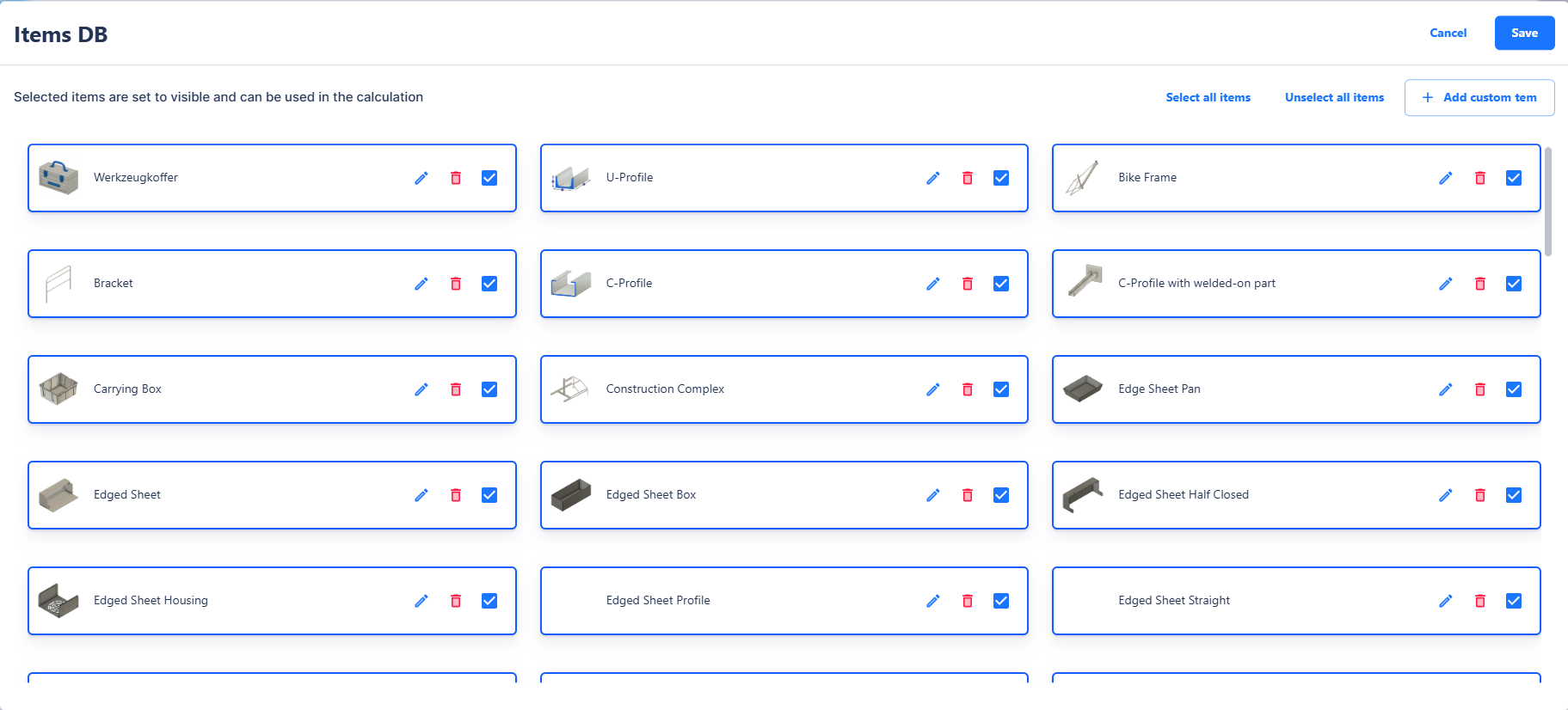
The Item Database in Surface Solutions is a central tool for managing all items in your company. It is independent of packages and available to all users within the organization.
The database contains both pre-made standard items and custom items created by you. Each item can be individually customized, including its name, article number, image, and visibility. Using the visibility checkbox, items can be hidden if needed, so they do not appear in the Calculation Editor.
Creating and Editing Items
New items can be created directly through the Item Database. You assign:
-
Item Name
-
Article Number for unique identification
-
Image for easier recognition
Existing items can be edited or deleted at any time. Changes automatically affect all calculations in which the item is used.
Formula Overrides
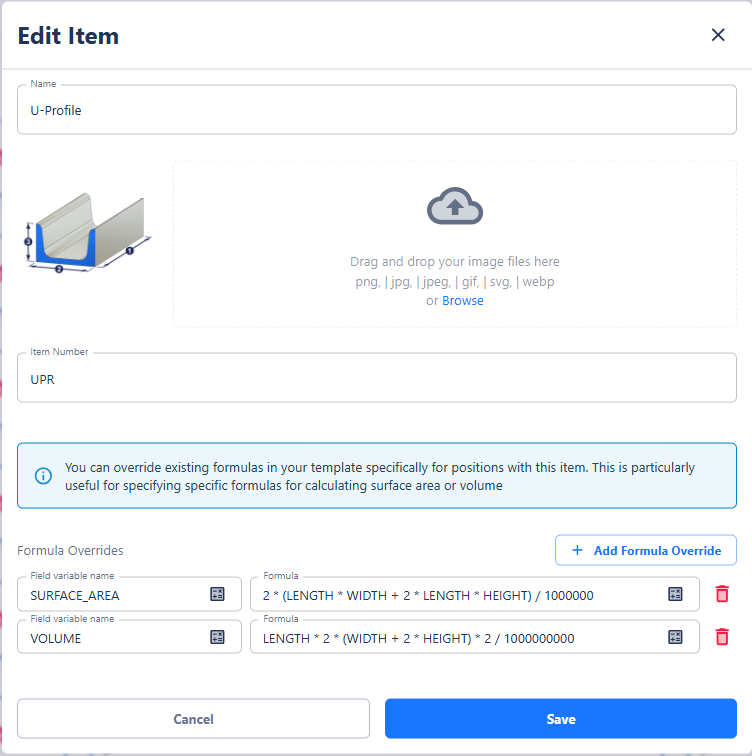
A key feature of the Item Database is formula overrides for individual items.
If a template in the Calculation Definition contains a field, e.g., volume, the standard formula may not be suitable for certain items due to differing geometries. Examples:
-
A U-profile has a different surface area than an L-profile or a sheet metal box.
-
A rim requires its own volume and surface area calculation.
In such cases, you can assign a custom formula override for each item. The following rules apply:
-
The variable name must match exactly with the variable name in the template for the override to be applied.
-
Multiple overrides per item are possible, e.g., volume, surface area, weight, etc.
-
If a formula is incorrect, for example, because required values are missing, the standard template formula is automatically used again.
Formula overrides affect only the calculation. Users do not see additional fields in the Calculation Editor—the values are simply calculated based on the item-specific formulas.
Integration into the Calculation Editor
Once an item is assigned to a position, the formula override is applied automatically if it exists. Otherwise, the standard formula from the template is used. This allows you to perform individual calculations for different items without having to adjust the template for all positions.
This ensures that complex item geometries are calculated accurately, while the calculation logic remains consistent and transparent.
Summary
The Item Database allows you to:
-
Manage all items of your organization, independent of packages
-
Create, edit, and delete items
-
Define visibility in the Calculation Editor
-
Set formula overrides for specific items
-
Perform individual calculations for different geometries, e.g., volume, surface area, or weight
-
Automatically apply item formulas in the Calculation Editor, with fallback to standard formulas in case of errors
With the Item Database, you can fine-tune the calculation logic at the item level while ensuring that your calculations remain reliable and transparent.